In Customer list, tap a guest's name to open their profile. You store what you know about them once, and Klarr then shows it on its own wherever the service needs it.
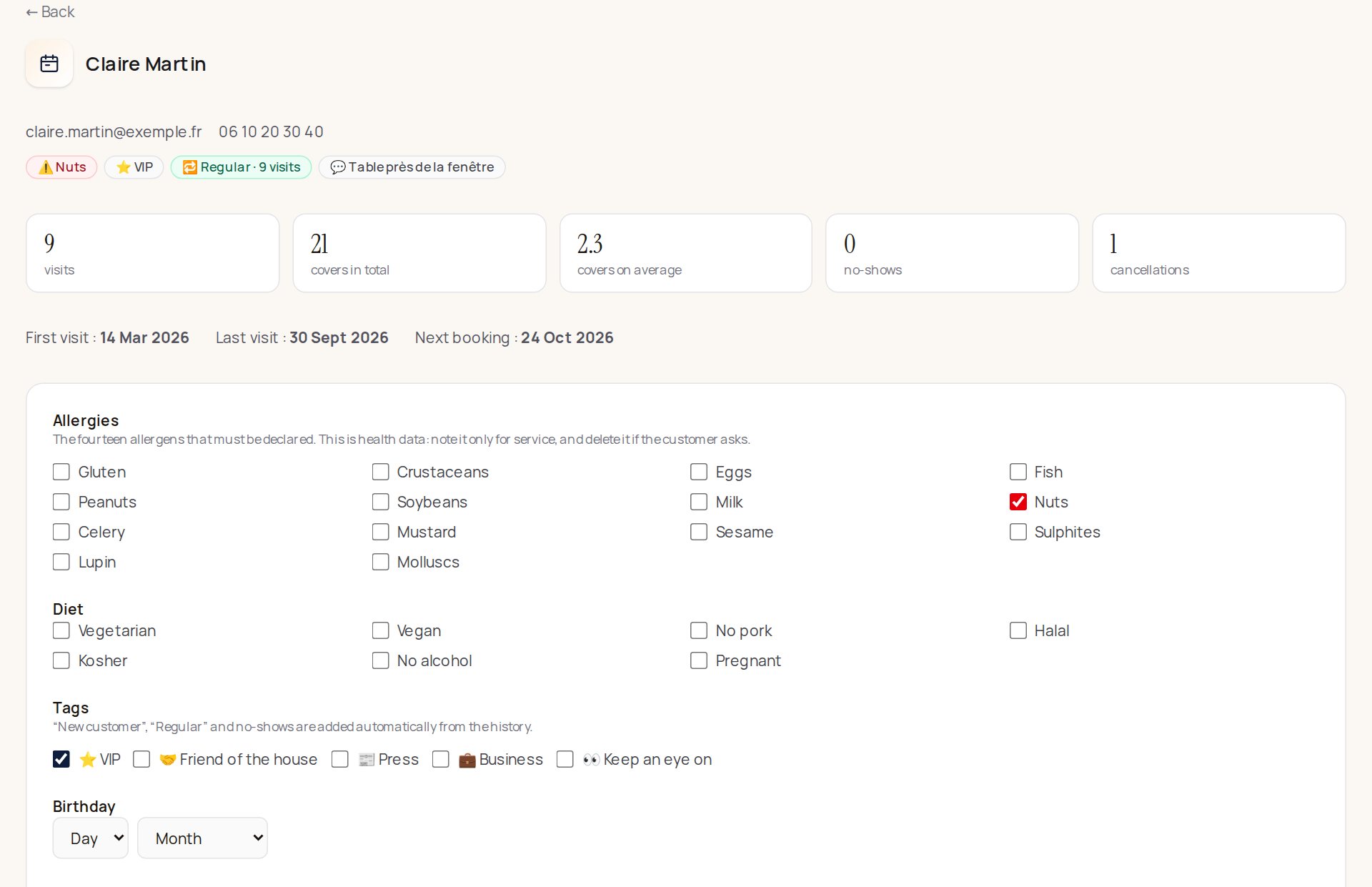
What the profile contains
- Allergies: the fourteen allergens that must be declared (gluten, tree nuts, milk…), to tick.
- Diet: vegetarian, vegan, no pork, halal, kosher, no alcohol, pregnant.
- Tags: VIP, Friend of the house, Press, Business, Keep an eye on.
- Birthday: day and month, without the year.
- Preferences: one free line ("table T3, somewhere quiet, likes Beaujolais").
- Internal note: your reminder, as before.
- Their history: visits, covers, average covers, no-shows, cancellations, first and last visit, next booking, and the list of their bookings.
Where it shows
Under the guest's name, as small badges, on:
- the service screen and the booking book;
- the booking page;
- the printed service sheet (allergies first, for the kitchen);
- the iPhone app: the day's service, the booking page and the customer list.
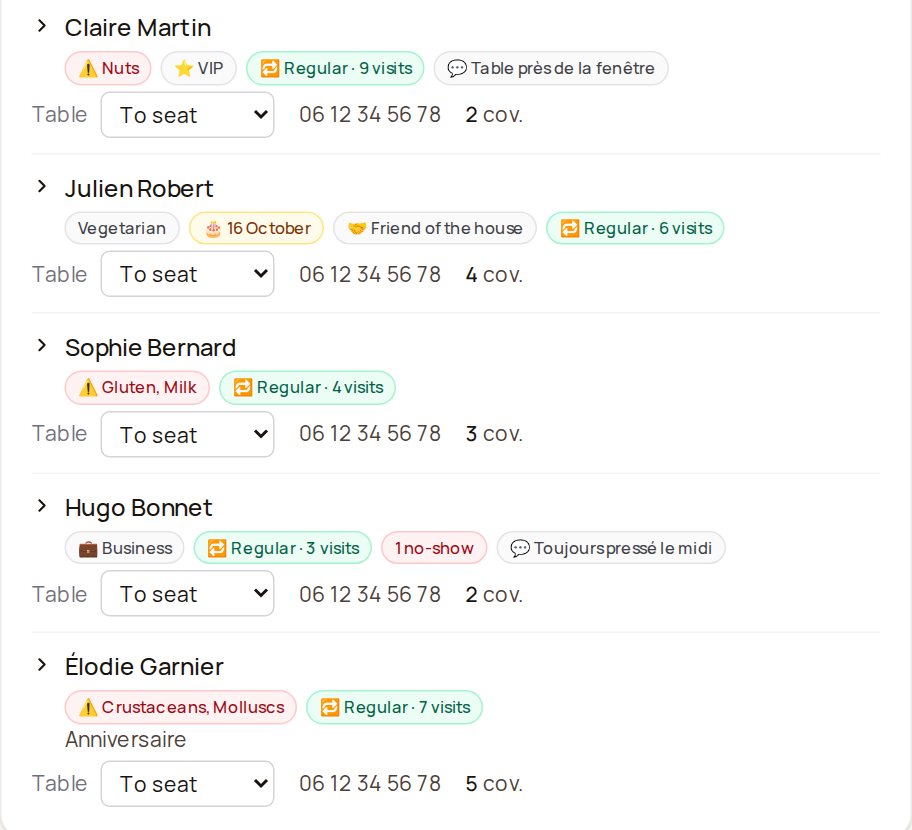
An allergy shows in red. The birthday only appears when it falls within three days of the booking.
Automatic tags
Nothing to do for these, Klarr takes them from the history:
- 🆕 New customer: they have never come yet;
- 🔁 Regular: three visits or more;
- No-shows: the number of times they didn't come without warning.
A table where nobody came doesn't count as a visit.
Who sees what
The whole team sees the summary, waiters included: it's made for service. Only the owner and managers edit a profile.
Allergies are health data
The GDPR gives extra protection to health information. Note an allergy only for service, and delete it if the guest asks: untick it on their profile, then save.