An experience is a special moment you sell separately, on top of your meals: a cooking class with the chef, a wine tasting, a cocktail workshop, a themed brunch. Each session has a limited number of places and a price per person. Your guests sign up online, and can pay in advance.
It isn't a table booking: it's more like selling tickets to a small event.
1. Open the experiences screen
In the left-hand menu, click Bookings, then Experiences. (You can also go through the Experiences card on your home page.)
On the left, Your experiences: the ones you've already created. On the right, the New experience form.
2. Create your experience, box by box
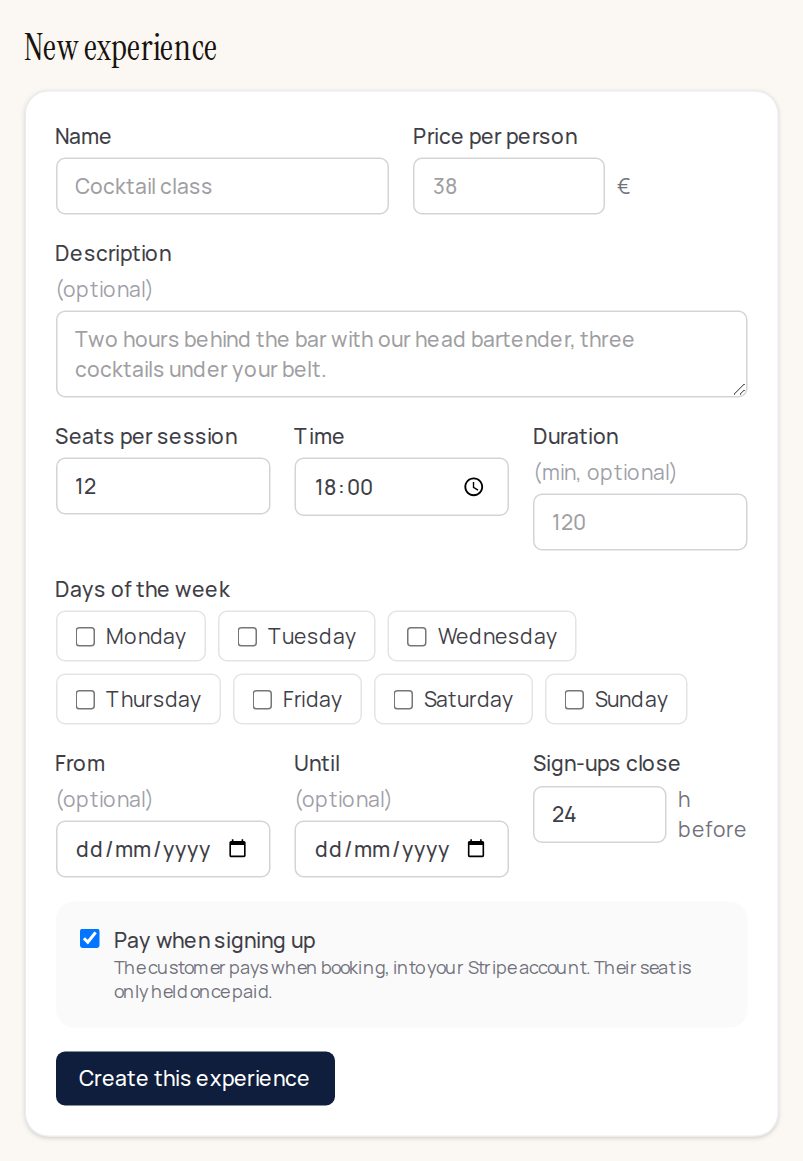
- Name: what the guest will see, for example “Quenelle workshop with the chef”.
- Price per person, in euros.
- Description (optional): in a sentence or two, what happens and what's included (“Two hours in the kitchen, tasting and a glass of wine included”). This is what makes people want to come.
- Seats per session: the maximum number of people.
- The start time, and the length in minutes if you want to show it.
- Days of the week: tick the day or days the experience takes place (for example every Saturday).
- From and Until (optional): for an experience that only runs for a season, for example Christmas workshops in December. Leave empty if it runs all year.
- Sign-ups close … h before: how many hours before the session people can no longer sign up (for example 24 h, time to do your shopping).
- Pay when signing up:
- ticked: the guest pays when signing up, by card, straight into your Stripe account. Their place is only held once paid. You need to have connected Stripe: see Connecting Stripe.
- unticked: the guest signs up without paying, and pays on the day. Handy for a free event or a small price.
- Click Create this experience.
3. Follow your sessions and sign-ups
Your experience appears in Your experiences, with its upcoming sessions and the places left.
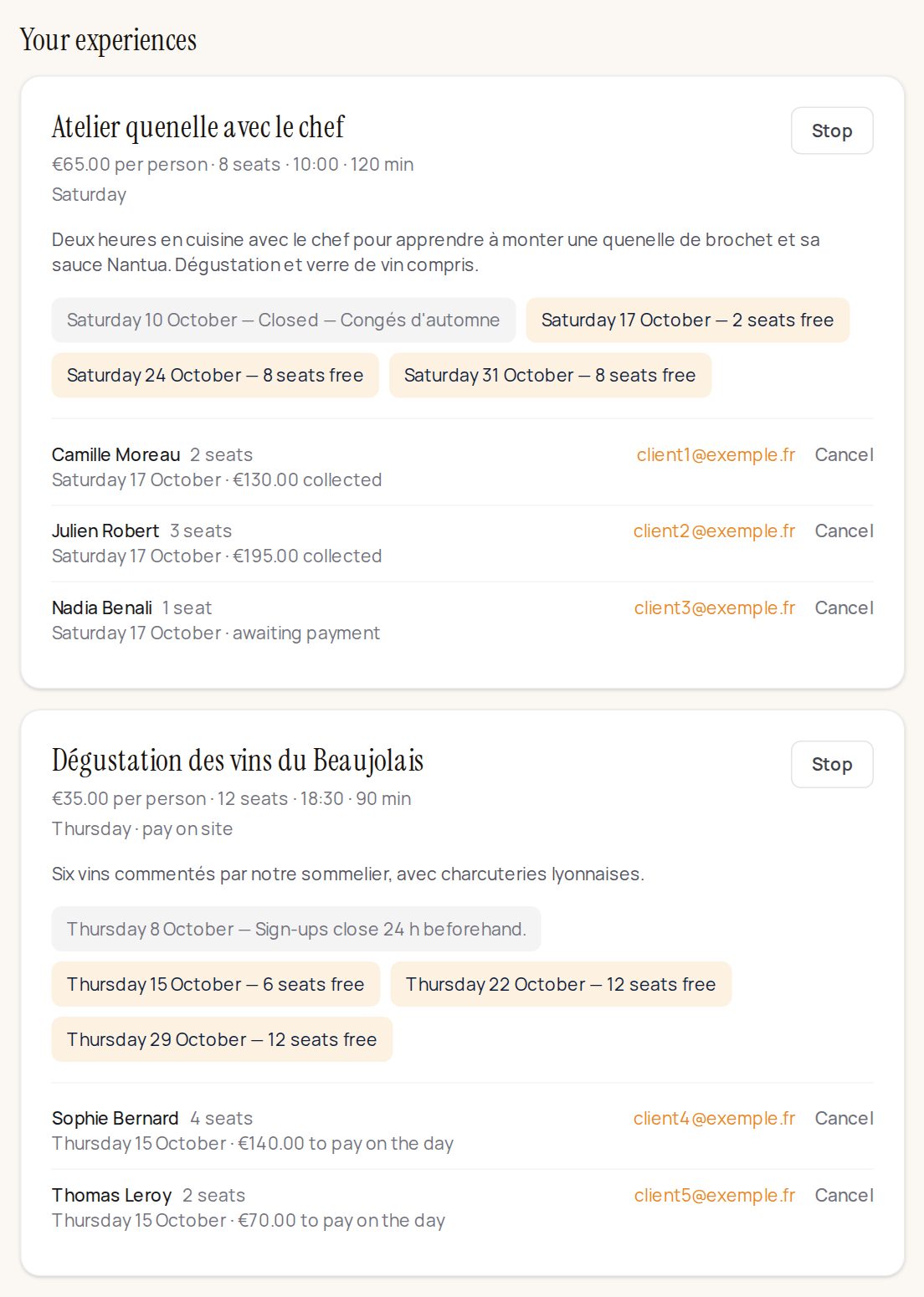
- The date chips: each upcoming session, with the number of places free. A session on a closed day is marked “Closed”, and one whose sign-ups have closed says so too.
- The list of sign-ups: the name, the number of places, the date, and the payment (“collected”, “awaiting payment”, or “to pay on the day”). Click the email to write to the guest, or Cancel to cancel their sign-up.
- Stop: the experience is no longer offered to guests. Sign-ups already taken remain.
A place booked but not yet paid stays held for a while: otherwise two guests could pay for the same place.
An experience held in the room
A tasting dinner in the main room, a karaoke night in the private room: on the experience, choose the Room, tick Attendees are seated in the room, then Save.
- Each sign-up becomes a party in that service (dinner, if the session is at 8 pm): it shows on the service screen and on the floor plan, with the experience's name, and is seated at a table like a booking, by hand or with "Seat the service".
- Its places are no longer sold as bookings in that room that evening: no need to close the room by hand.
- A sign-up waiting for payment holds its places for an hour, then releases them if it isn't paid.
Without the box ticked (the default), nothing changes: the experience stays separate, on top of the service.
4. What your guest sees
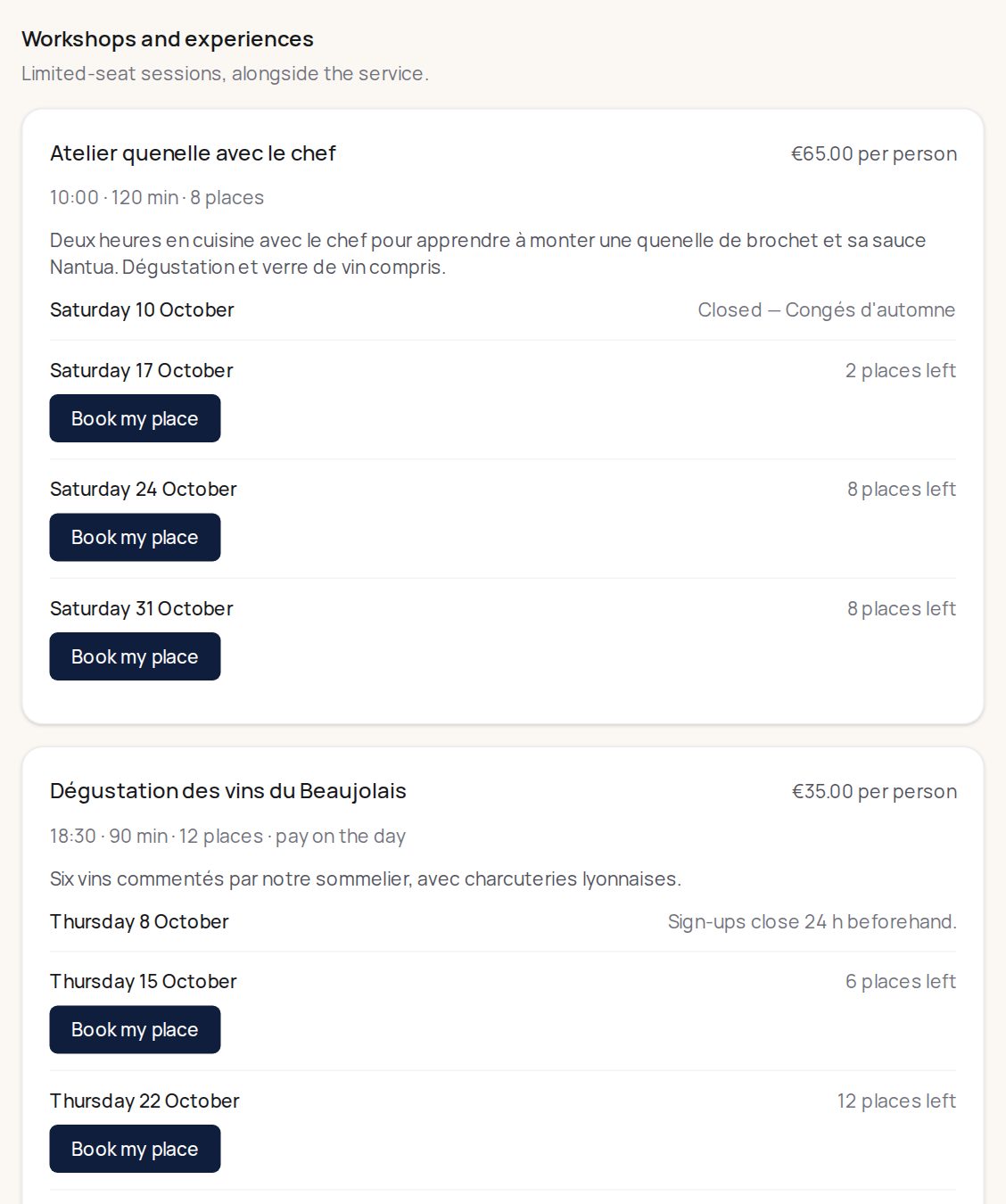
Your experiences appear on your booking page, in the Workshops and experiences section: the name, the price, the time, the length, the description, and the next dates with the places left. The guest clicks Book my place, chooses the number of places, gives their name and email, and pays if you asked for it.
The payment goes straight to your Stripe account. Klarr takes no commission.
Good to know
- An experience's places are separate from your rooms' capacity. Twelve places at the cocktail workshop don't take twelve covers off dinner.
- Watch out for the same place at the same time: for now, Klarr doesn't check that a session and a private hire don't fall at the same time in the same room. If your workshop uses the cellar on Saturday morning, don't hire it out at the same time, or set a closure on the cellar for that slot.