Bookings → Floor plan.
What the plan does, and what it doesn't
The plan is for seating, not for selling.
Klarr keeps accepting or refusing bookings by covers. It will never say "full" because there is no table for four left. It is deliberate: an engine that reasoned in tables would refuse a group of six you would have seated by pushing table 4 and table 2 together — which you do every evening.
The plan answers the other question, the head waiter's at 7:30 pm: who is sitting where.
Placing tables
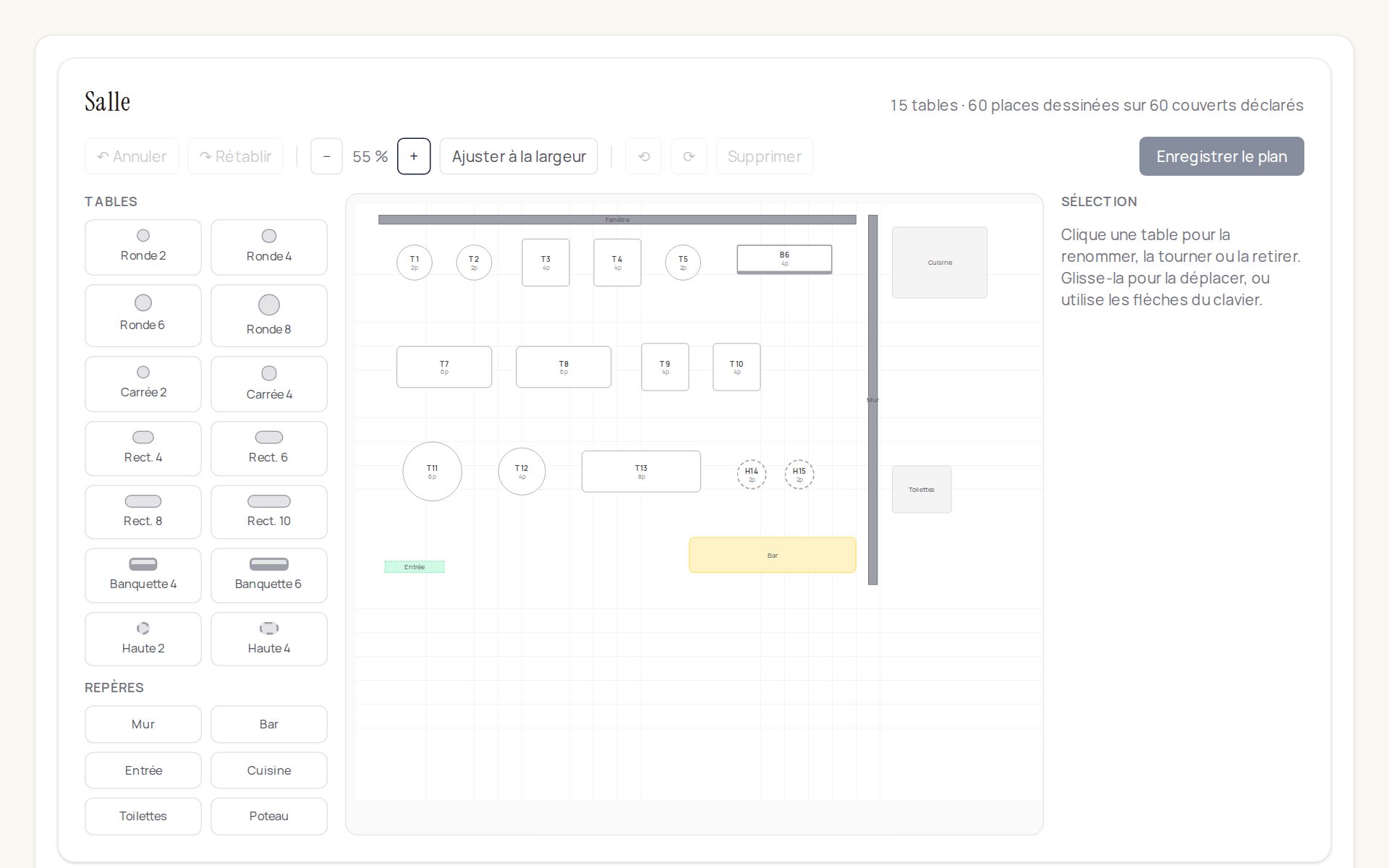
The palette on the left offers templates: round tables from 2 to 8, square, rectangles from 4 to 10, banquettes, high tables. One click places the table on the plan, in the first free spot, with the next number.
Then:
- drag it with the mouse to move it, or select it and use the arrow keys;
- the ⟲ and ⟳ buttons turn it a quarter turn;
- the panel on the right lets you change its number and its number of seats.
Markers
The bar, the entrance, the kitchen, the toilets, a wall, a pillar. They seat no one, but without them your head waiter won't recognise the room on screen, and the plan becomes useless. Place them like tables.
They are also used for automatic seating: "quiet" means away from the entrance, the kitchen, the bar and the toilets. For "by the window" to be understood, place a wall along your windows and name it "Fenêtre" (or "Vitrine").
Seating the service automatically
On the service screen, under the service name, the "Seat automatically" button appears as soon as a confirmed booking has no table.
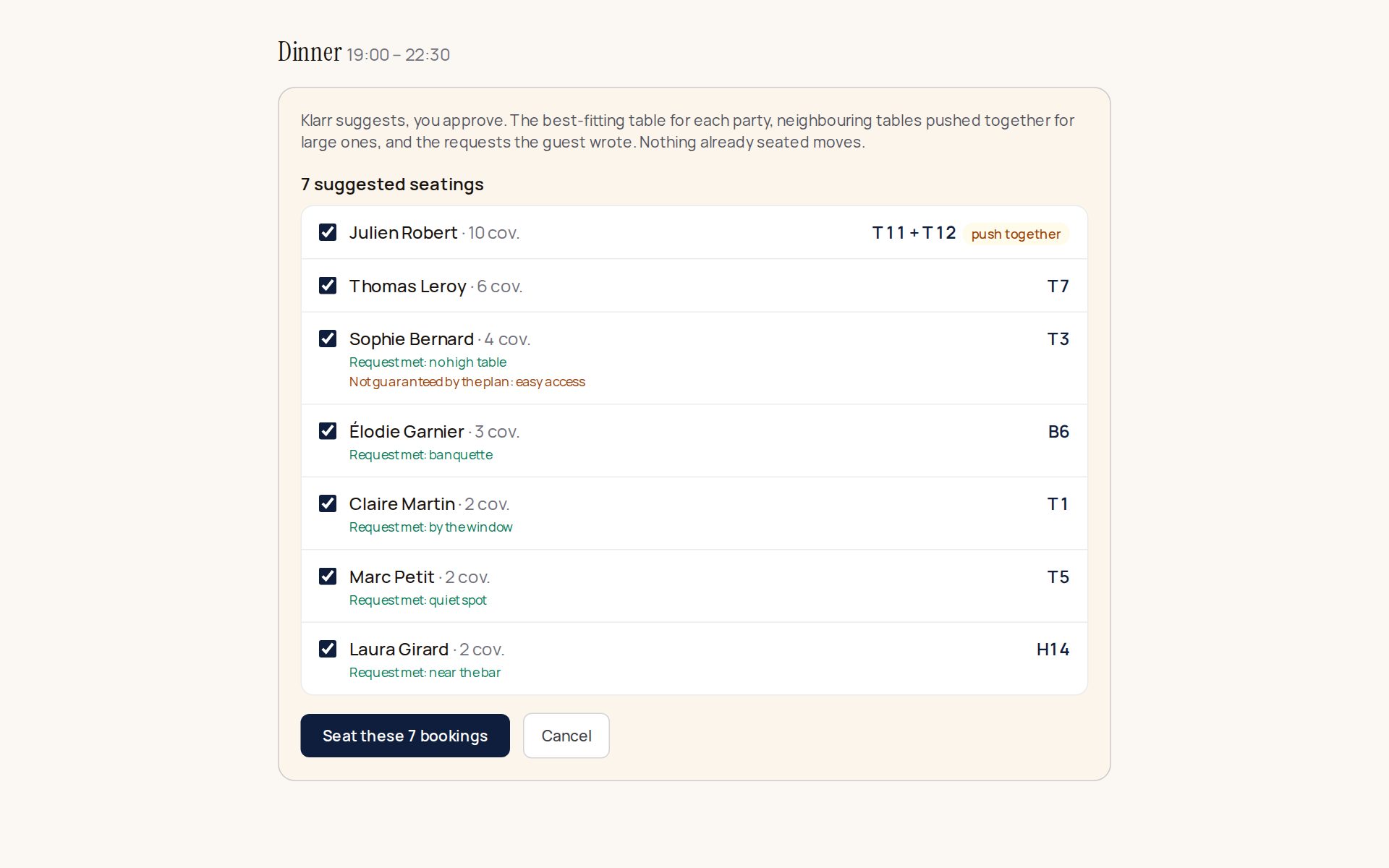
Klarr suggests a table for each one:
- the best fit first — a table for six isn't given to a couple when a group of five is coming;
- large groups first;
- the wishes written by the guest, their occasion, or your note: quiet, by the window, near the bar, a pushchair or a wheelchair (near the entrance, never a high table), a banquette, a baby (no high table).
For each suggestion, you see the wishes met and those the plan can't guarantee. Untick what doesn't suit you, then "Seat these bookings". Nothing is saved before that click, and nothing already seated moves.
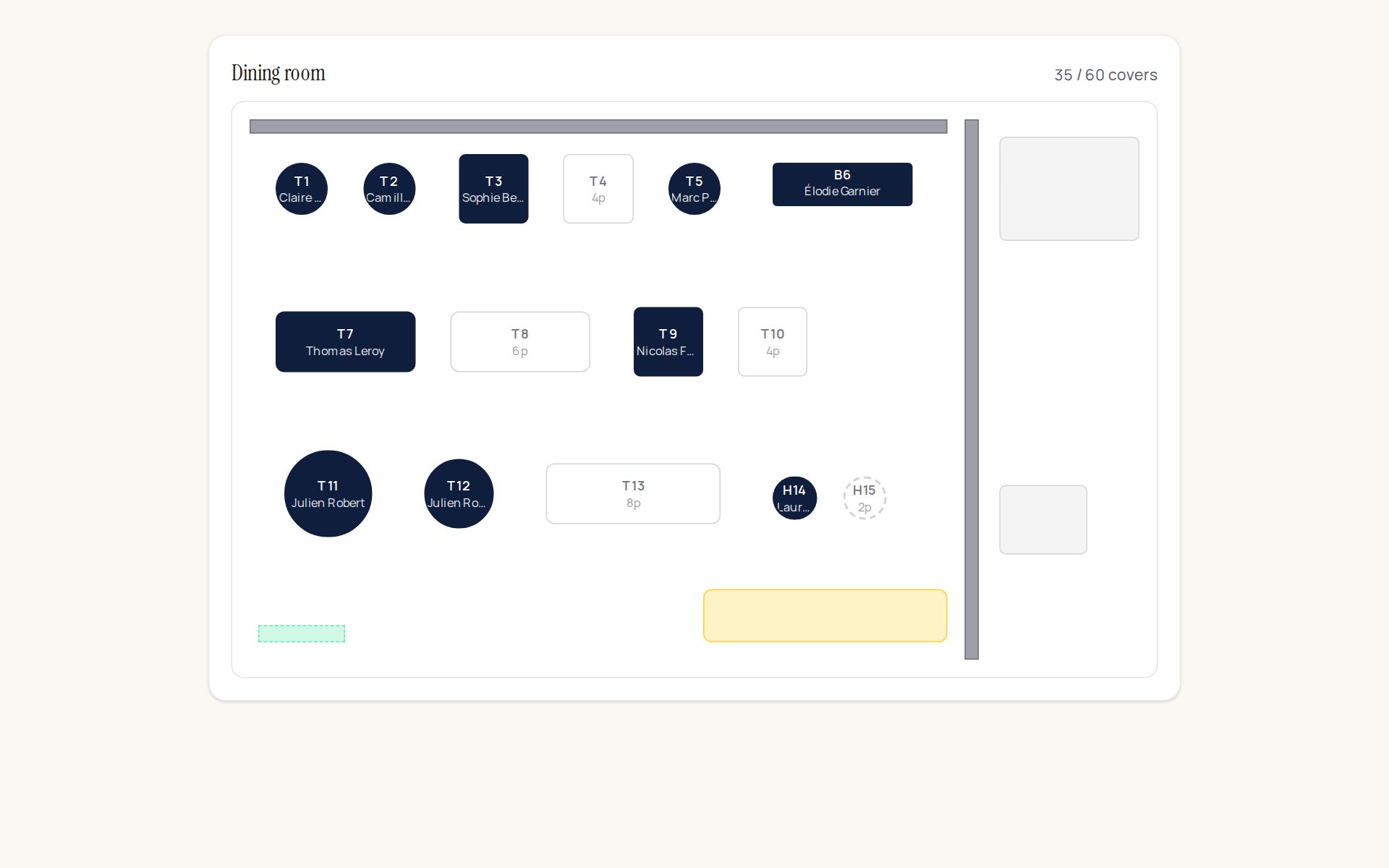
Once confirmed, the service plan shows who is sitting where:
Wishes are read within Klarr, by keywords: your guests' messages are not sent anywhere.
Tables turn over
A table is only taken for the length of a meal: the average table time, which you set on each service (Bookings → Spaces, services and public page). With 2 hours, the 7 pm couple's table is free for the 9 pm group — automatic seating suggests it, and you can put them there by hand.
On the plan, a table used twice in the evening shows its sittings in order, with the time: "19:00 Martin", then "21:00 Durand". It only turns red if two groups are there at the same time.
If your guests stay longer on Saturday evenings, lengthen that service's table time: everything else follows.
Tables pushed together
When no free table is big enough, Klarr suggests up to four neighbouring tables to push together ("T5 + T6"). They are taken together for the length of the meal: no other group will be seated there during that time, and they are shown together on the plan, in the list and on the day sheet.
If you then change the group's table by hand, the pushed-together tables are freed.
Undo, save
Undo and Redo undo and redo your actions, immediately. Nothing is written until you click Save the plan — so you can try things without risk.
A banner warns you as long as changes are not saved.
Two rules
Two tables can overlap. Tables get pushed together every day. Klarr flags it in orange, it doesn't forbid it.
Two tables can't have the same number. "Put them at 12" must refer to a single table. If it happens, saving is refused and the number in question is named — nothing is written in the meantime.
Rooms without a plan
A room that is only rented as a whole has no plan, and that is normal: when a group privatises it, there is no one to seat. These rooms are listed below the plan with the reason.
If you want a plan for a room, tick "individual bookings" on that room in the settings.