At the bottom right of the dashboard, the "Klarr Assistant" button (or "Any questions?" outside a venue's screen) opens it. It answers your questions about Klarr, based on this help. And from the home screen (if you have a single venue) or the screen of one of your venues, it does more: it knows your listing and your visibility, and it guides you.
Your next steps, as soon as it opens
When you log in, and on your first visit of the day, it opens by itself on a computer: it says hello and shows you its recommendations for the day. Close it with a click on ×: it won't come back before the next day. On a phone, it doesn't cover the screen: it greets you in a small bubble above the button, where See my recommendations opens it and Later puts it away until the next day. When everything is in place, it doesn't disturb you. The orange badge on the button says how many recommendations it has for you.
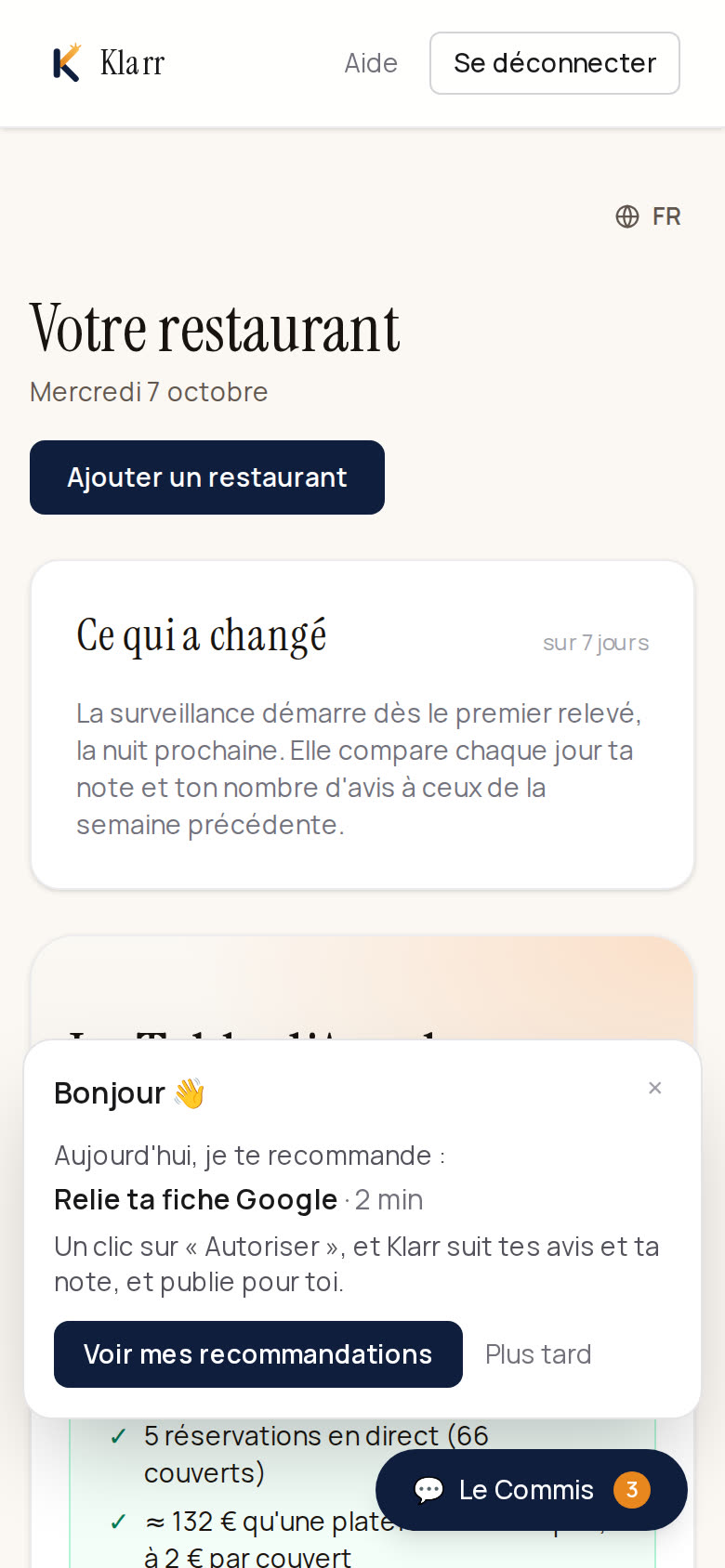
When you open the bubble, you see the next three things to do: what is missing from your listing, a complaint that keeps coming up in your reviews, then the actions in your visibility plan. Each one opens the right screen in one click.
It also follows up on your decisions: a few weeks after you noted a complaint ("Noted" on a "What your reviews say" card), it asks whether you were able to try the suggestion, and reminds you when Klarr will count again.
Five minutes to fill in your listing with it
When things are missing from your listing, the bubble offers "5 minutes to fill in your listing with me". Klarr Assistant then asks you the questions one by one, as if on the phone: your cuisine and your atmosphere, the questions your guests often ask ("do you have a terrace?"), two or three dishes, your next holidays. With each answer, it prepares the card for you to confirm.
Don't know? Tap Skip. It moves on badly? Next question. Got something else to do? Stop here: what you have confirmed is already online.
What you can ask it
- Where you stand: "where do I start?", "what is missing from my listing?". It relies on your real figures: photos, menu, frequent questions, Google rating, listings to correct elsewhere.
- What your guests think: "what do people complain about?", "has the waiting time improved?". It reads the analysis of your reviews, what awaits you in "Klarr has prepared" and the follow-up of the complaints you noted. It quotes the figures as they are and sends you to the Analysis tab.
- Why people don't find you: "why doesn't ChatGPT mention me?". It reads your latest AI visibility analysis and your plan, and tells you what to do first.
- Write your restaurant's description: it asks you two or three questions, then suggests a text based on what you said.
- Describe your dishes, add a frequent question: "the quenelle is pike from the Saône, homemade Nantua sauce", "tell guests we have a terrace with 20 seats".
- Adjust: remove or put back a dish, change a price, close a period or reopen a closed day.
Nothing changes without your click
Klarr Assistant changes nothing by itself. Each proposal comes as a card that says plainly what will change, with Confirm and Cancel. Once confirmed, it is as if you had done it on screen: your website, your booking page and your guests' assistant know it straight away.
It makes nothing up: what it writes for your guests contains only what you told it or what your listing contains.
What it does not do
- It doesn't deal with bookings or your guests: that is the Bookings screen.
- Opening hours, rooms and photos are changed in their own screens: it sends you there.
- Only a manager or the owner can have it prepare changes.
- It has a limit per day and per venue, well above normal use. If you reach it, it tells you to come back tomorrow; all the screens stay open.
Klarr Assistant speaks the language you chose for your dashboard, and answers from this help in that language. The texts it writes for your guests stay in French, the language of your listing and your website: it tells you in English what they say.