What is Stripe?
Stripe is a card payment terminal, but for the internet. When a guest pays a deposit online with their bank card, Stripe charges the card, checks that everything is in order, then pays the money into your bank account.
Stripe is a large payment company, used by millions of businesses worldwide (Amazon, Booking, Deliveroo…). It is Stripe that keeps your guests' card details, securely: neither you nor Klarr ever see them.
What is it for in Klarr?
With Stripe linked, you can get paid before the guest arrives:
- a deposit on a private booking: the guest pays an amount when booking the room, so it isn't blocked for nothing;
- a card hold (a guarantee): nothing is charged, but if the table stays empty without notice, you collect the stated amount;
- an experience paid in advance: tasting, workshop, themed evening, the seat is paid when booking;
- gift cards sold on your website.
Without Stripe, the rest of Klarr works normally: you simply can't ask for money online.
Where does the money go?
Straight to you. You link your own Stripe account, not Klarr's. Your guests' money arrives in your Stripe account, then Stripe transfers it to your bank account, automatically (usually every few days). Klarr never touches this money.
How much does it cost?
- Klarr takes nothing: zero commission on deposits, guarantees or gift cards. It isn't a promise, it's how it's built: Klarr is not a payment intermediary and has no way of helping itself along the way.
- Stripe takes its fees on each payment collected, like a bank on a card terminal. For a European card, it is usually around 1.5% + €0.25 per payment (the exact price is on stripe.com/pricing). Creating and keeping a Stripe account is free.
Linking Stripe, step by step
Allow 10 minutes if you don't have a Stripe account yet. Have ready:
- your bank details (the IBAN of the restaurant's bank account);
- an ID document (ID card or passport);
- your company registration number (SIRET in France) if you are a company or sole trader;
- your mobile phone (Stripe sends a code by text message).
Step 1: in Klarr.
- In the menu, open Payments.
- In the Your Stripe account part, click Connect my Stripe account.
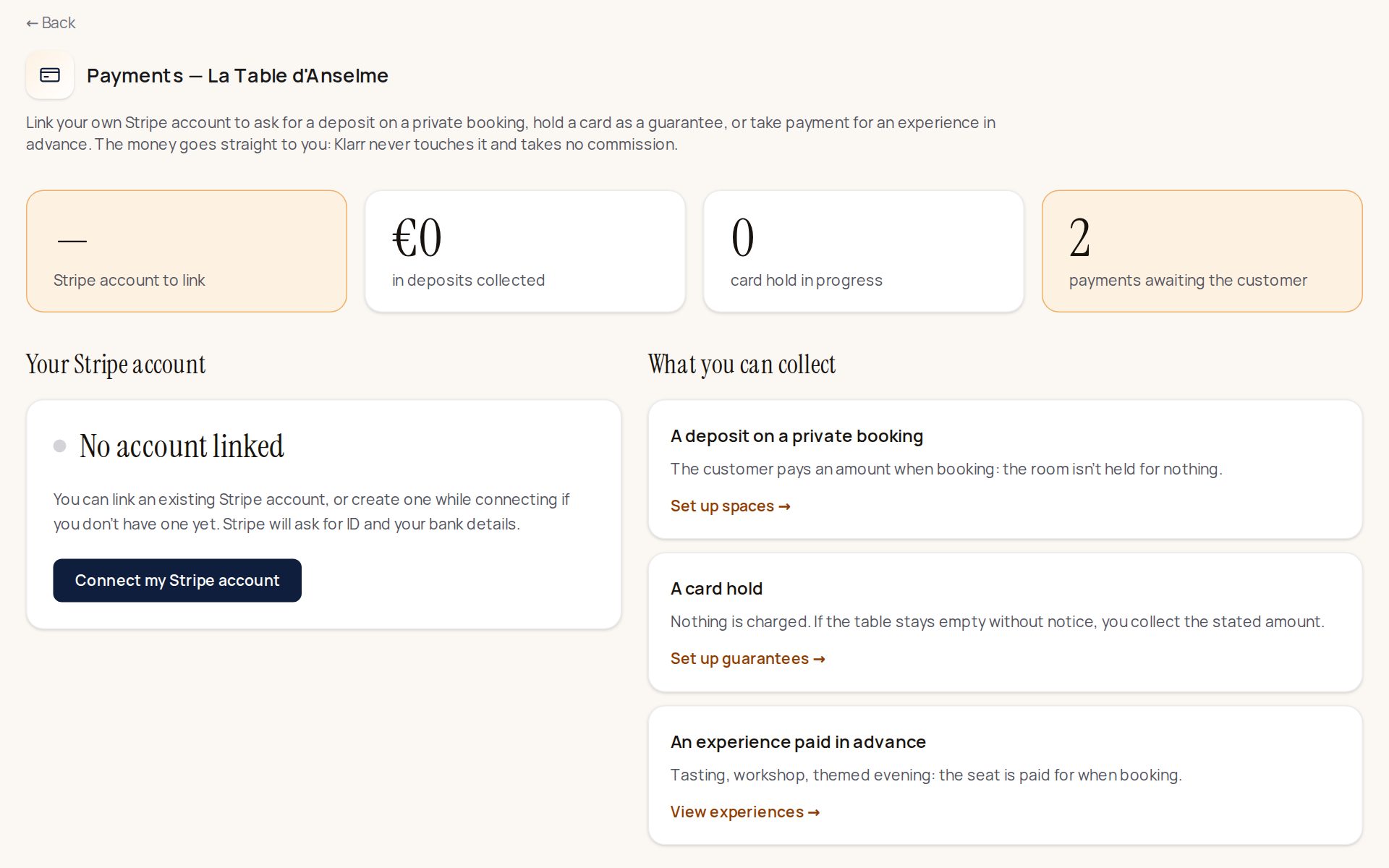
Step 2: on Stripe's website. A Stripe page opens. Two cases:
- You already have a Stripe account: sign in with your Stripe email and password, choose the restaurant's account if asked, then click the button to authorise Klarr.
- You don't have a Stripe account: Stripe offers to create one on the same page. Enter your email and choose a password, then answer Stripe's questions:
- the country;
- the type of business: company or sole trader;
- the business details: name, registration number, address, website (you can put the address of your Klarr page);
- the representative: your name, date of birth, address, and your ID document;
- the bank account: your IBAN, where Stripe will pay the money;
- the code received by text message, to confirm your phone.
At the end, Stripe sends you back to Klarr automatically.
Step 3: check that it's ready.
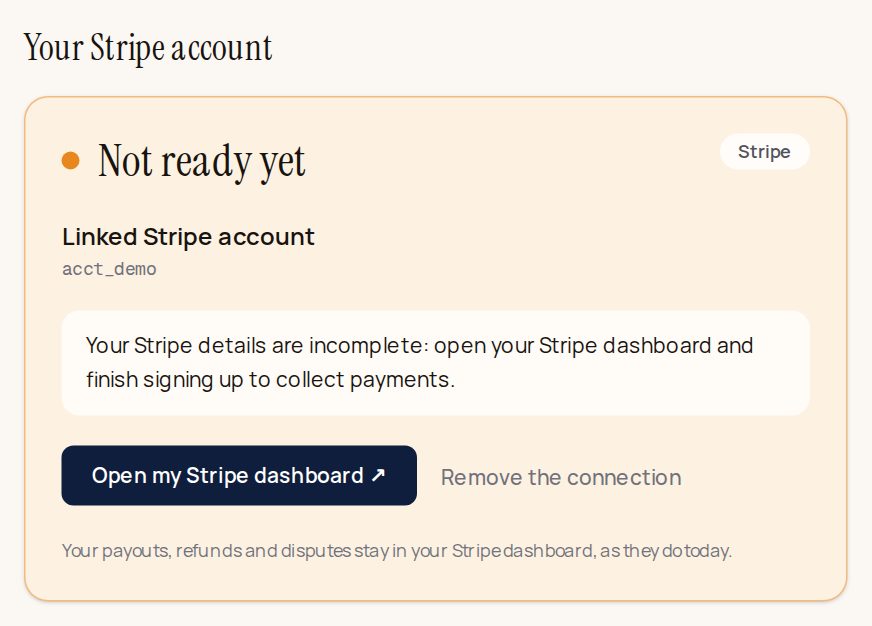
Back on Payments, the Your Stripe account part shows your account. Two possibilities:
- Ready to collect (green dot): it's done, you can ask for deposits and guarantees.
- Not ready yet (orange dot): Stripe is still waiting for some information or a document. Click Open my Stripe dashboard, and finish what Stripe asks for (often an ID document or a proof). It then turns green on its own.
What next?
Once Stripe is ready, set up what you want to collect. The links are on the right of the Payments page:
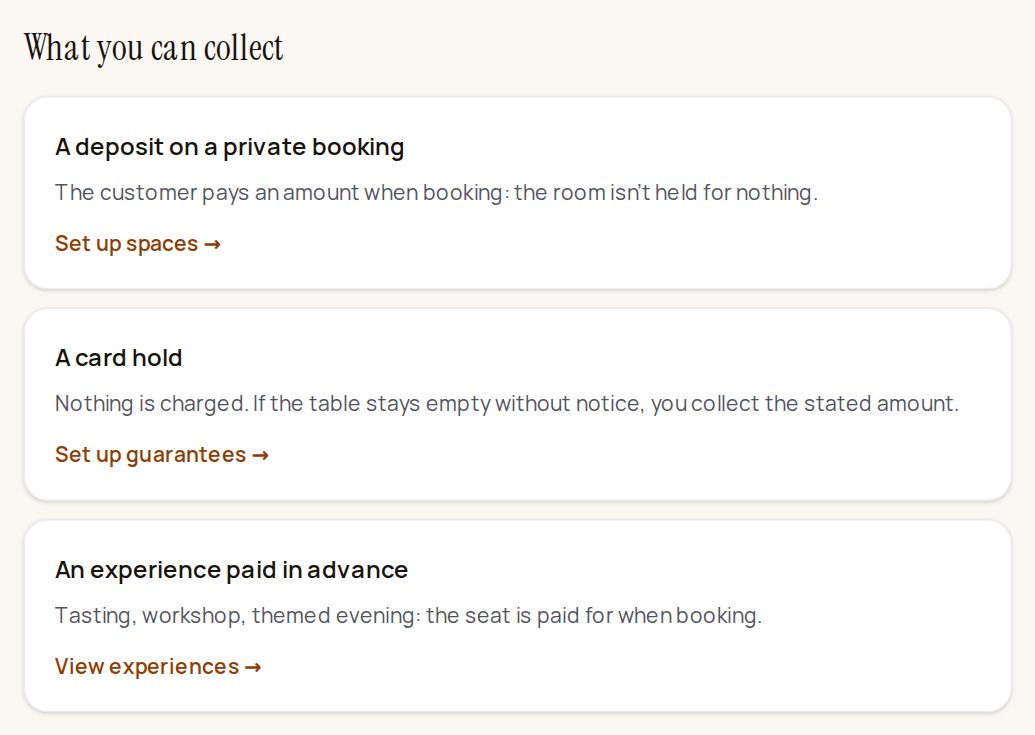
- Set up spaces: the deposit asked to hire a room privately (see Private hire of a room and Asking for a deposit);
- Set up guarantees: the card hold against empty tables (see Asking for a card hold);
- View experiences: evenings and workshops paid when booking (see Creating an experience).
What stays with you
Since it's your account, everything happens in your Stripe dashboard (dashboard.stripe.com): the list of payments, your refunds (in two clicks, whenever you like), your disputes if a guest challenges a payment, and your payouts to your bank.
Who can link Stripe?
Only the venue's owner can link or remove Stripe. A manager sees that it's linked, but can't touch it.
Stuck at a step? Message us on WhatsApp or write to contact@klarr.net: we'll do it with you.