Klarr posts photo posts (one or more photos of your restaurant, with their caption) and videos (the Reel format, see Reels, stories and videos) to TikTok. You prepare them in Klarr, in the same place as your Facebook and Instagram posts, and Klarr posts them at the time you choose.
TikTok is included in the Visibility module.
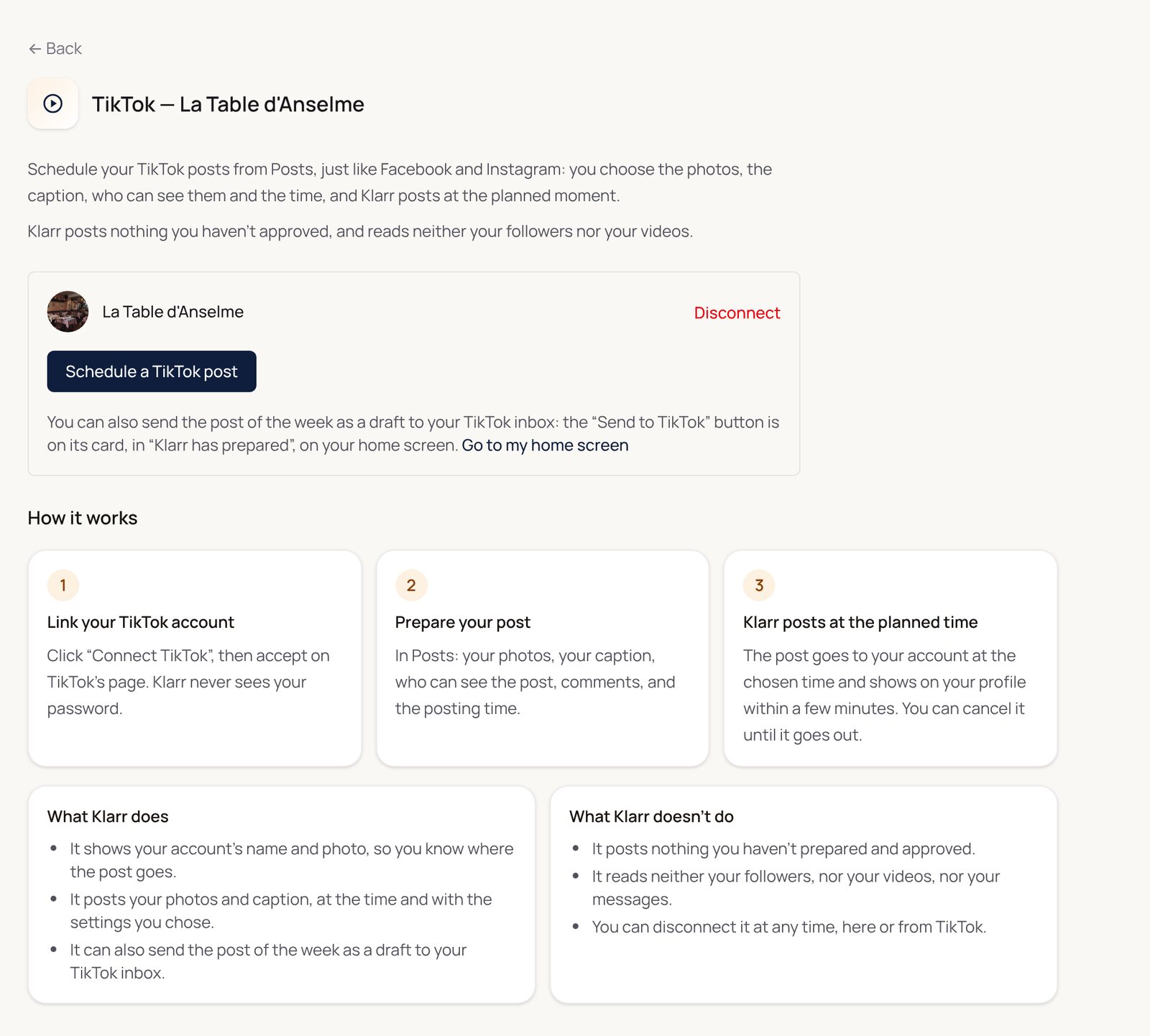
Linking your TikTok account
- In Settings, open Connections, then TikTok.
- Click Connect TikTok, then accept on TikTok's page. Klarr never has your password.
- Back in Klarr, your TikTok account name is shown.
You can disconnect it at any time, from this screen or from TikTok.
Scheduling a TikTok post
From the TikTok screen, click Schedule a TikTok post: you land on the Posts screen.
- Photos: pick them from your Klarr gallery, or add them from your phone.
- Caption: write it, or give an idea and click Suggest a caption: Klarr suggests a text for you to review.
- Where to post: tick TikTok, and Facebook or Instagram too if you want the same post everywhere.
- TikTok settings: choose who can see this post (everyone, your friends, your followers, or only you), whether you allow comments, and say whether it is branded content. For a video, two more boxes: allow Duets and Stitch.
- When: post right away, or schedule the day and time.
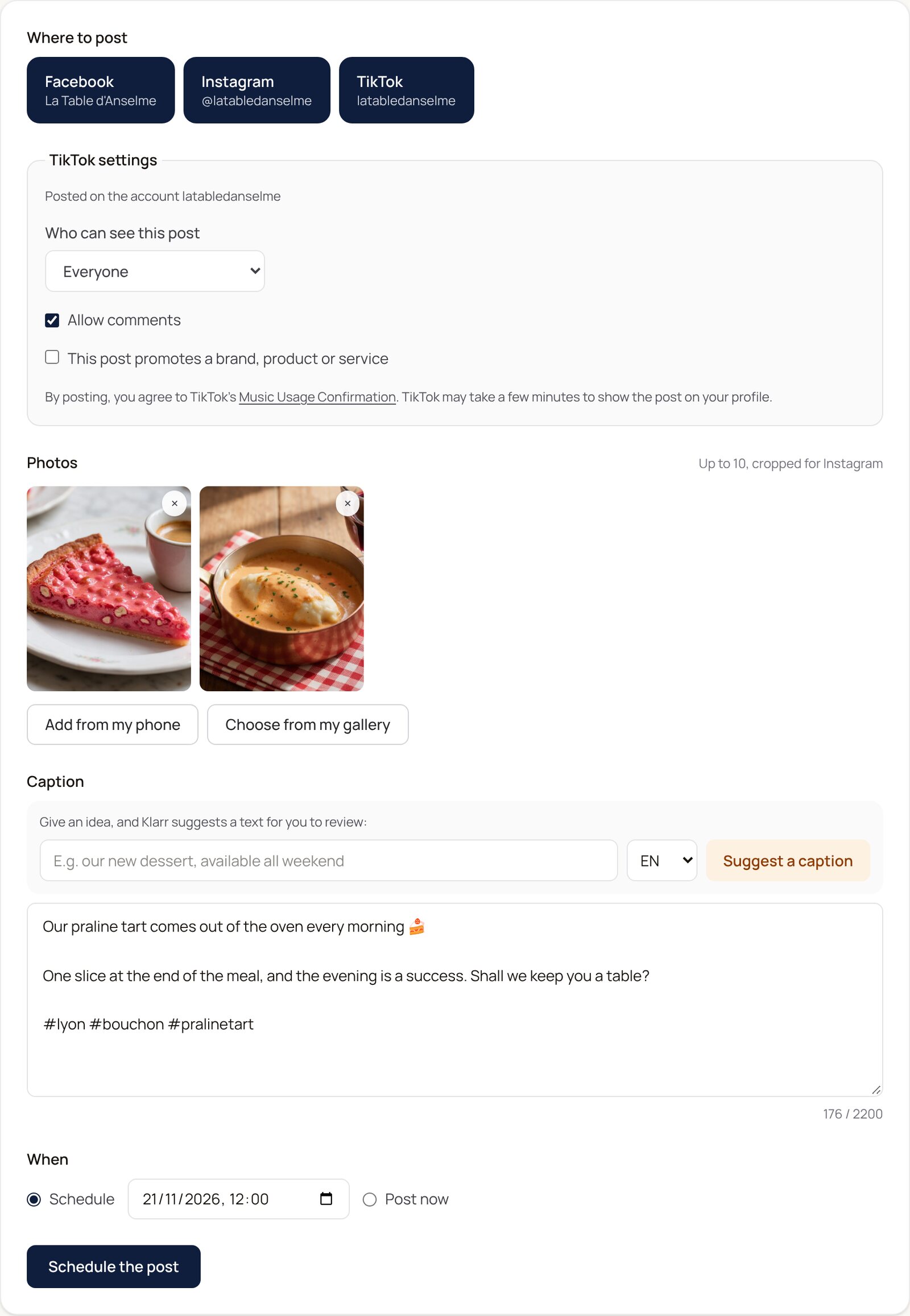
TikTok processes the post once it is sent: it appears on your profile within a few minutes. Under Already sent, you see each post, and the reason if TikTok refused it.
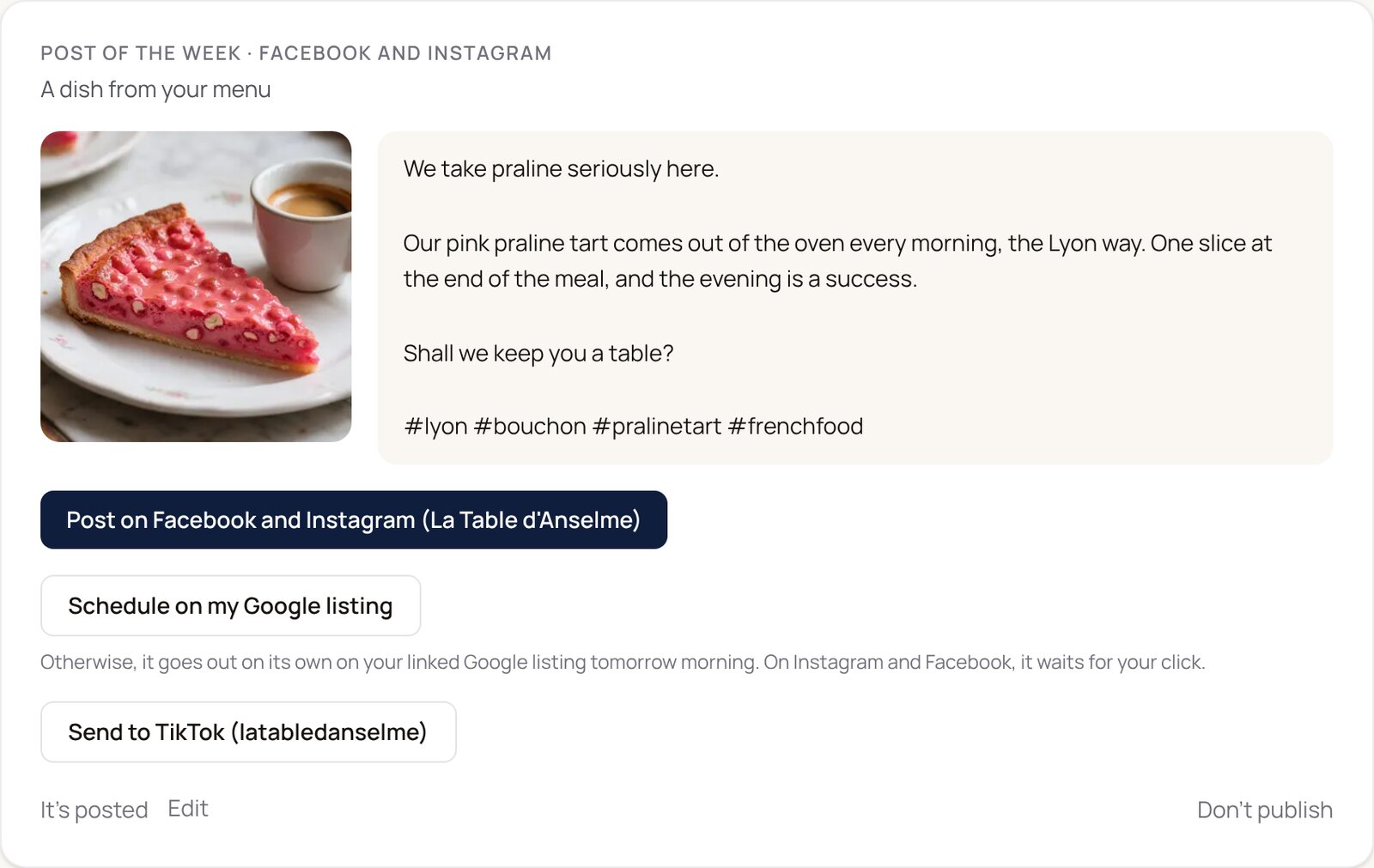
The post of the week, as a draft
Every week, Klarr prepares a post (a photo and its caption) in Klarr has prepared, on your home screen. On its card, the Send to TikTok button drops it as a draft in your TikTok inbox. You open it in the TikTok app, add music if you like, and post it.
What Klarr does not do
- TikTok messages: they stay in the TikTok app. TikTok does not yet allow reading them from another tool in Europe. Instagram and Messenger messages, on the other hand, arrive in Klarr.
- Followers and statistics: Klarr reads neither your followers nor your videos.