Today, many guests no longer search only on Google: they ask an AI assistant directly (ChatGPT, Gemini, Perplexity…) "where to eat well near the station?" or "where to celebrate a birthday for 20?". The assistant answers with two or three names. If yours isn't among them, that guest will never know you.
AI visibility is the screen that shows you whether the assistants mention you, in what position, and who they mention instead of you, then what to do to appear.
Your score, at a glance
At the top of the page, the AI visibility score (out of 100) sums it all up.
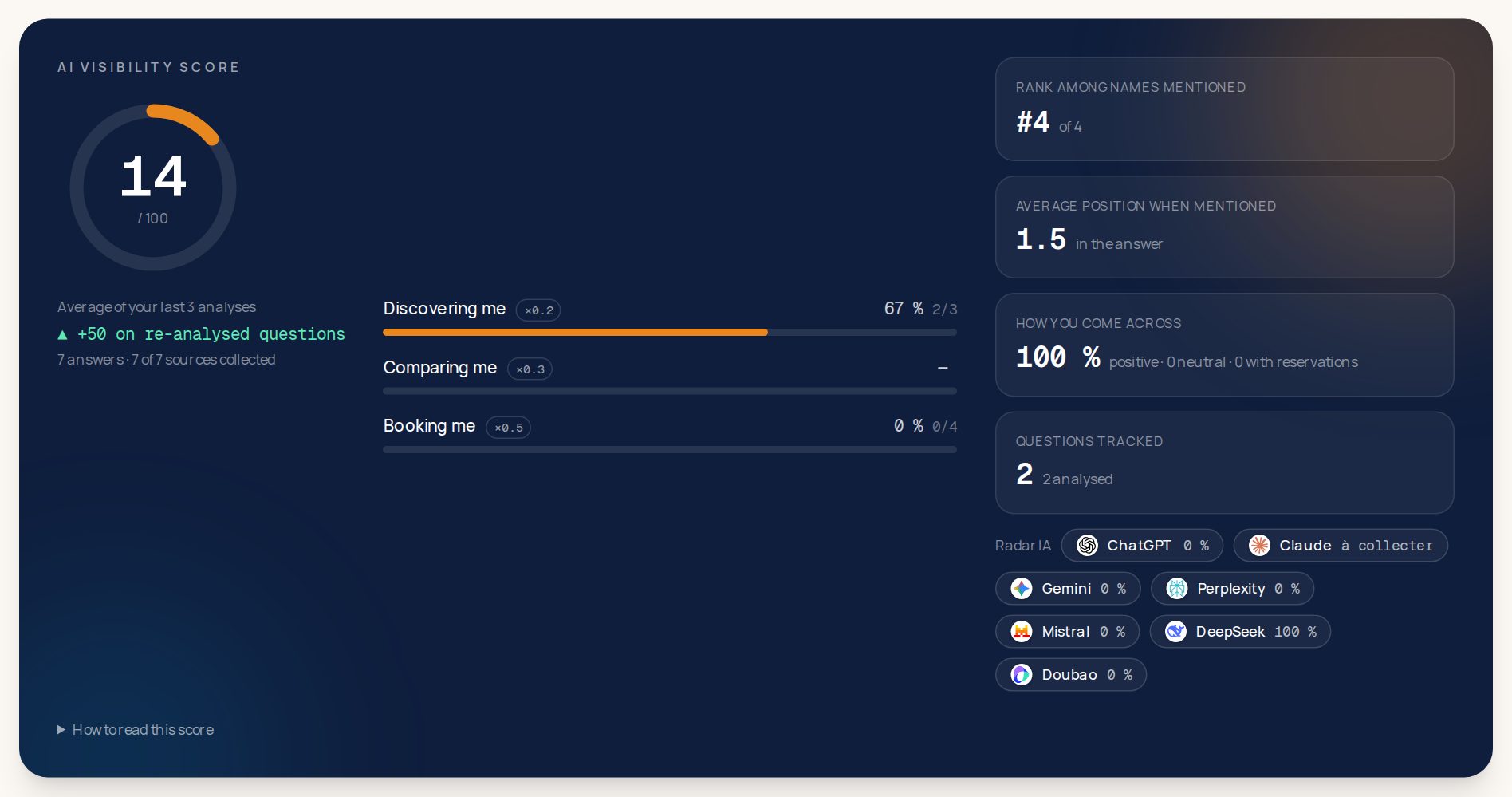
- The three bars match three kinds of questions: discovering me (the guest explores a neighbourhood, with no precise idea), comparing me (they hesitate between a few places) and booking me (they know what they want and look for where to book). The last one fills the dining room: it counts for half of the score.
- How you come across: when an assistant mentions you, Klarr notes whether it speaks of you positively, neutrally or with reservations.
- The AI radar, bottom right: the share of answers in which each assistant mentions you.
Who AI mentions instead of you
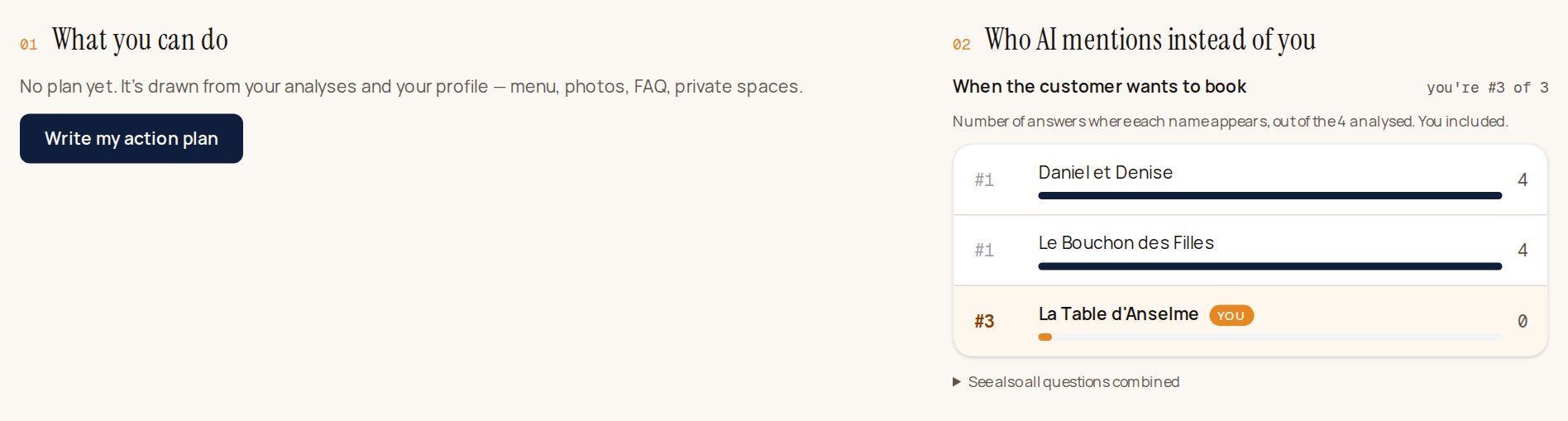
On the right, your real competitors: those the assistants recommend when a guest looks for where to book, with the number of answers each one appears in. On the left, What you can do: click Write my action plan and Klarr explains what to fix first (menu, photos, frequent questions, private rooms…).
Your share of voice and the AIs' sources
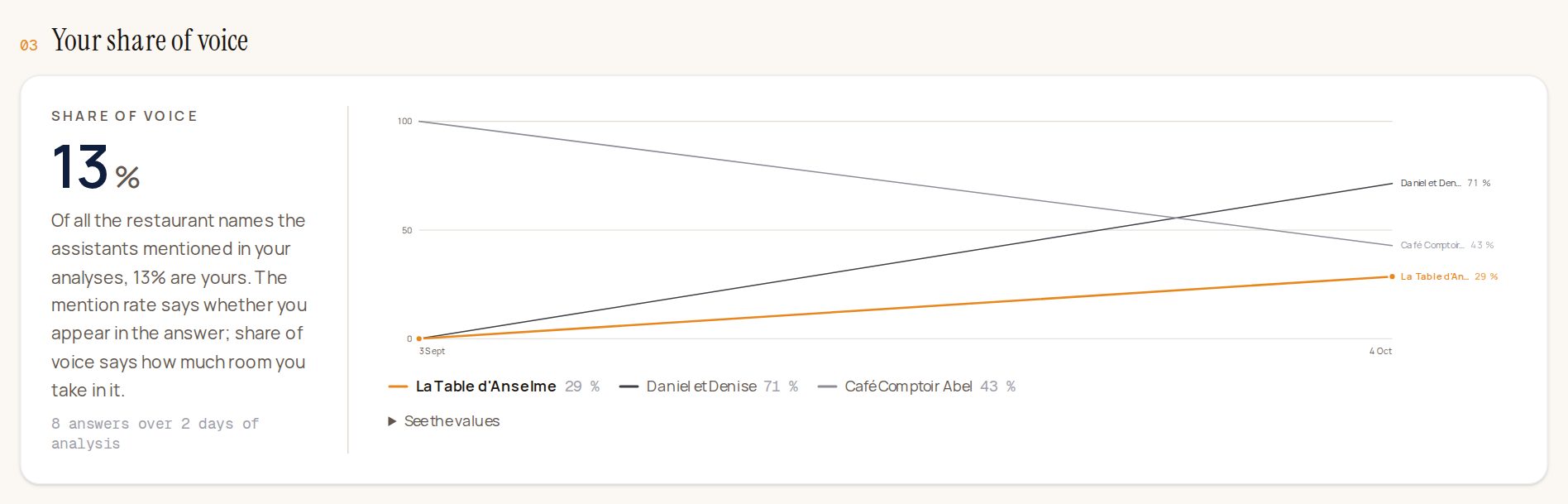
The share of voice: out of all the restaurant names the assistants give, how often it is yours.

Where the AIs look: the websites the assistants rely on to answer (TripAdvisor, Le Fooding, PagesJaunes…). That is where you need to be present, with an accurate listing and recent reviews. To check your listings, click Check it in Online presence.
Your questions
Everything starts from the questions your guests would ask an assistant.
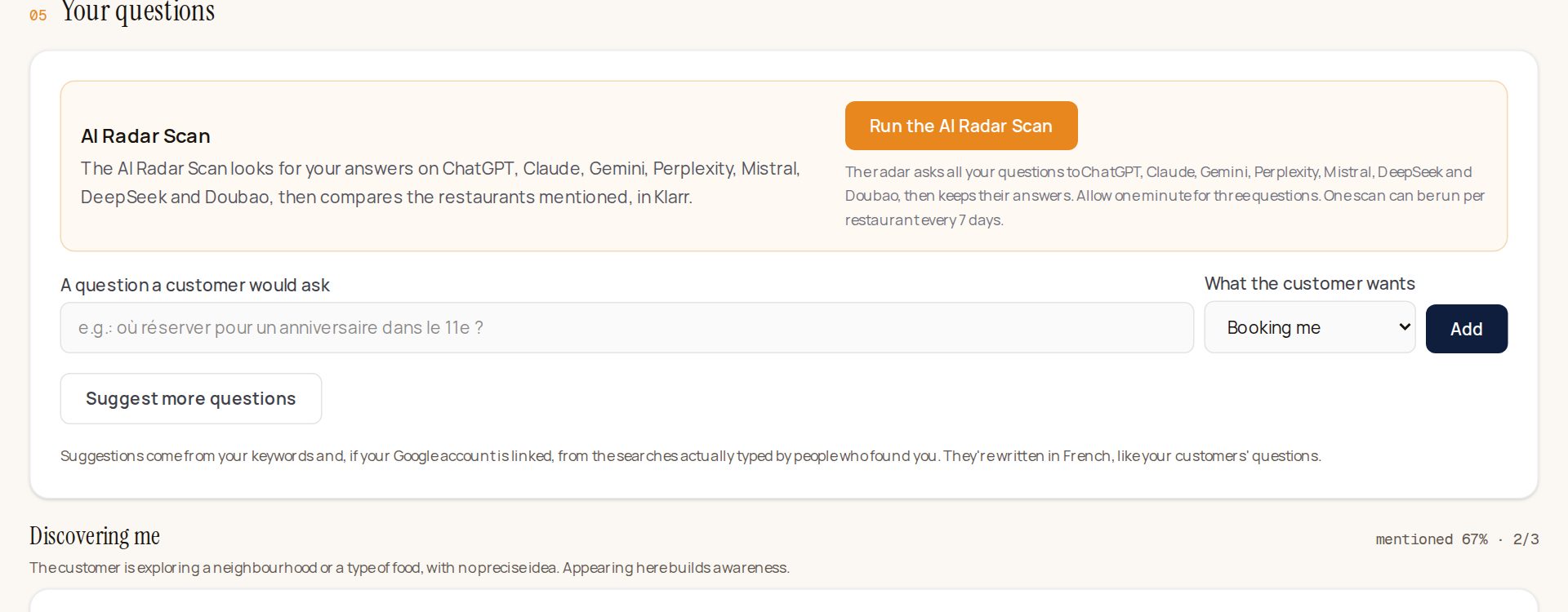
You have nothing to do at first: on the first night, Klarr suggests six questions and analyses them on its own. To add one yourself:
- Type it in A question a customer would ask, the way a guest would (for example "Où manger une quenelle à Lyon ?"). Write it in the language of your guests: for a French restaurant, usually French.
- Choose What the customer wants: discovering me, comparing me, or booking me.
- Click Add.
No idea? Suggest more questions: Klarr suggests some from your keywords and, if your Google listing is linked, from what your guests actually type on Google.
Each question then shows what each assistant answered: mentioned or not, in what position, and positively or not. Below, the ranking of the restaurants mentioned for that question.
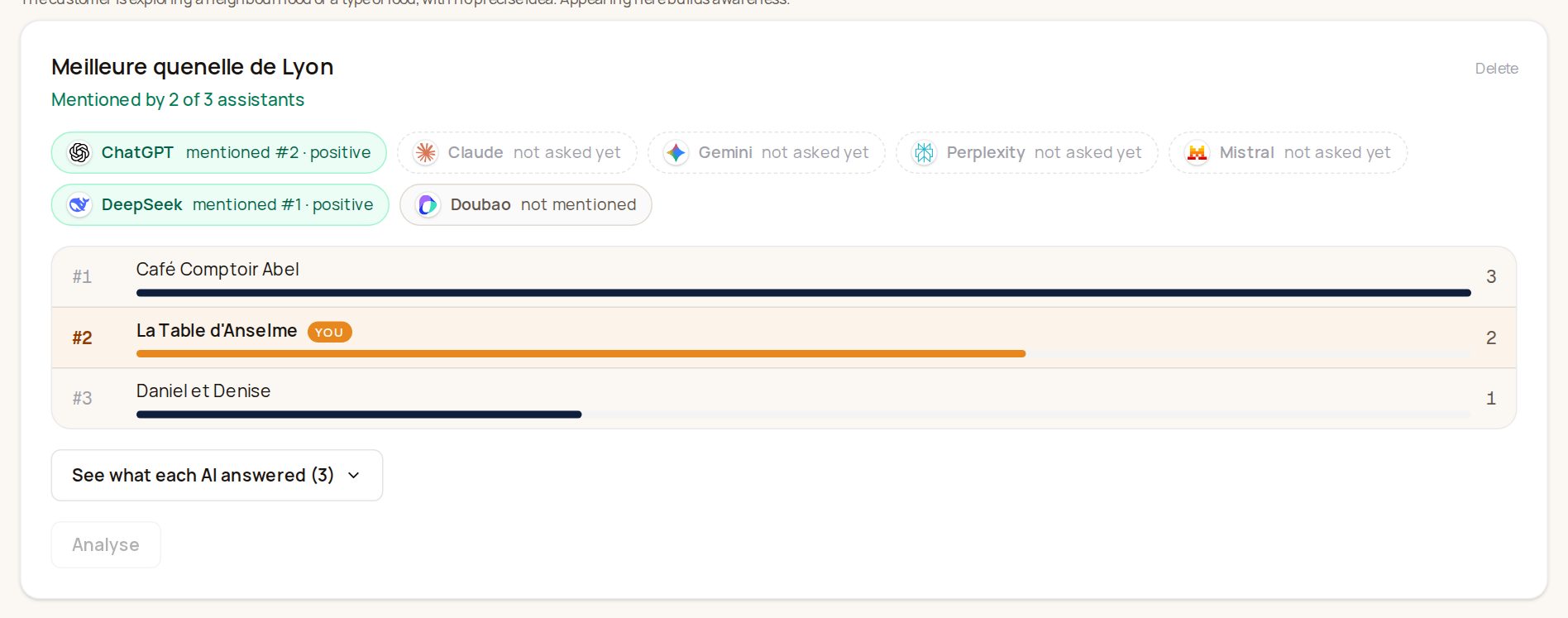
Click See what each AI answered to read each assistant's exact answer.
The AI Radar Scan
The Run the AI Radar Scan button asks all your questions at once to ChatGPT, Claude, Gemini, Perplexity, Mistral, DeepSeek and Doubao, and keeps their answers. Allow one minute for three questions; keep the page open (if you leave it, the scan resumes when you come back). One scan per restaurant every 7 days.
DeepSeek and Doubao are the assistants of Chinese guests: ChatGPT and Gemini are blocked in China, so a Chinese tourist preparing a trip asks them instead.
On its own, every month
You have nothing to restart. Every night, Klarr asks the assistants again the questions analysed more than four weeks ago, then rewrites your plan from the new answers. The screen tells you when the next analysis will take place.
The plan becomes ready cards
After each analysis, Klarr turns the questions where you aren't mentioned into ready cards, at the top of your home screen, in "Klarr has prepared":
- a practical question your listing leaves unanswered ("Can we hire a room privately?"), with three answers to pick with one tap;
- the website the assistants rely on, with your details ready to paste;
- one article in two on your website answers one of these questions.
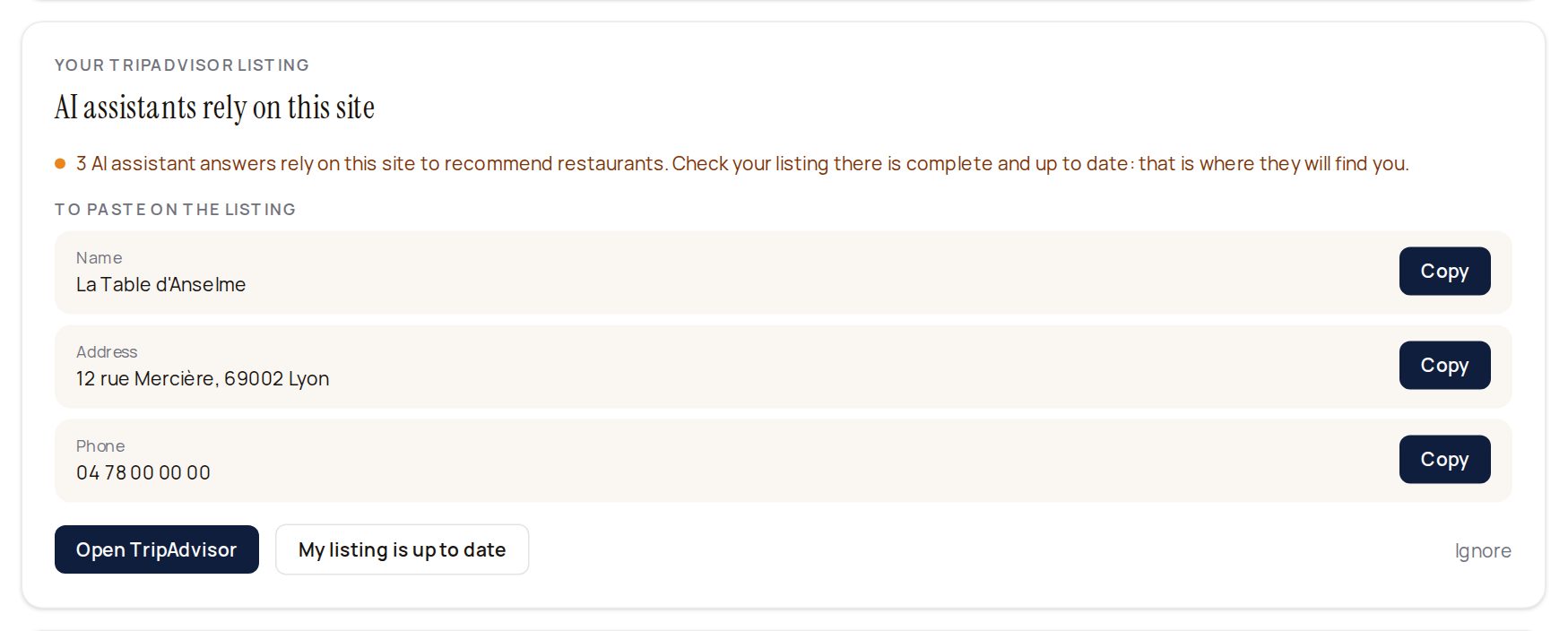
For a card like this one: click Open TripAdvisor, check your listing, paste the details with the Copy buttons, then click My listing is up to date.
The following month, the "This month, thanks to Klarr" box on your home screen tells you in how many more assistant answers you are mentioned.
The limits
Assistants' answers change little from one day to the next. So:
- a question is asked again once every 7 days at most (the Analyse button shows the date of the next possible analysis);
- you follow 12 questions at most;
- 12 analyses a day and 60 a month at most for your venue, AI Radar Scan included.
Assistants answer a little differently from day to day: look at the trend over several weeks rather than a single answer.